How Does a Contactless Card Work Without a Battery? | How It Works Inside #04
Short answer
- Our secure-card model follows 3 jobs: receiving power, mutual authentication and permitted record updates.
- Fresh challenges help resist replay; access rules and integrity checks protect the records.
- Some eligible Express Mode credentials on supported iPhones may work for up to 5 hours using remaining battery energy.
Also calledcontactless smart cardNFC cardmutual authenticationphone power reserve
Video

Pressing play loads the YouTube player on this page. Watch on YouTube
Explained
Tap a contactless card and hear a brief beep. What happened inside? Our 3D cutaway follows a battery-free smart card that supports mutual authentication and protected writes. We also look at why a supported phone can sometimes keep tapping after normal operation has stopped.
Where does a battery-free card get its power?
An antenna and an IC chip sit inside the card. In our battery-free model, the reader supplies the energy needed by the chip. The changing magnetic field from the reader lets the card obtain electrical power through electromagnetic induction. Rubbing the card or pressing harder is not the source of its power.
The yellow loops illustrate the changing field. They are not a picture of literal magnetic field lines. Contactless means that no direct electrical contacts are needed. Thickness and spacing have been exaggerated to reveal the components.
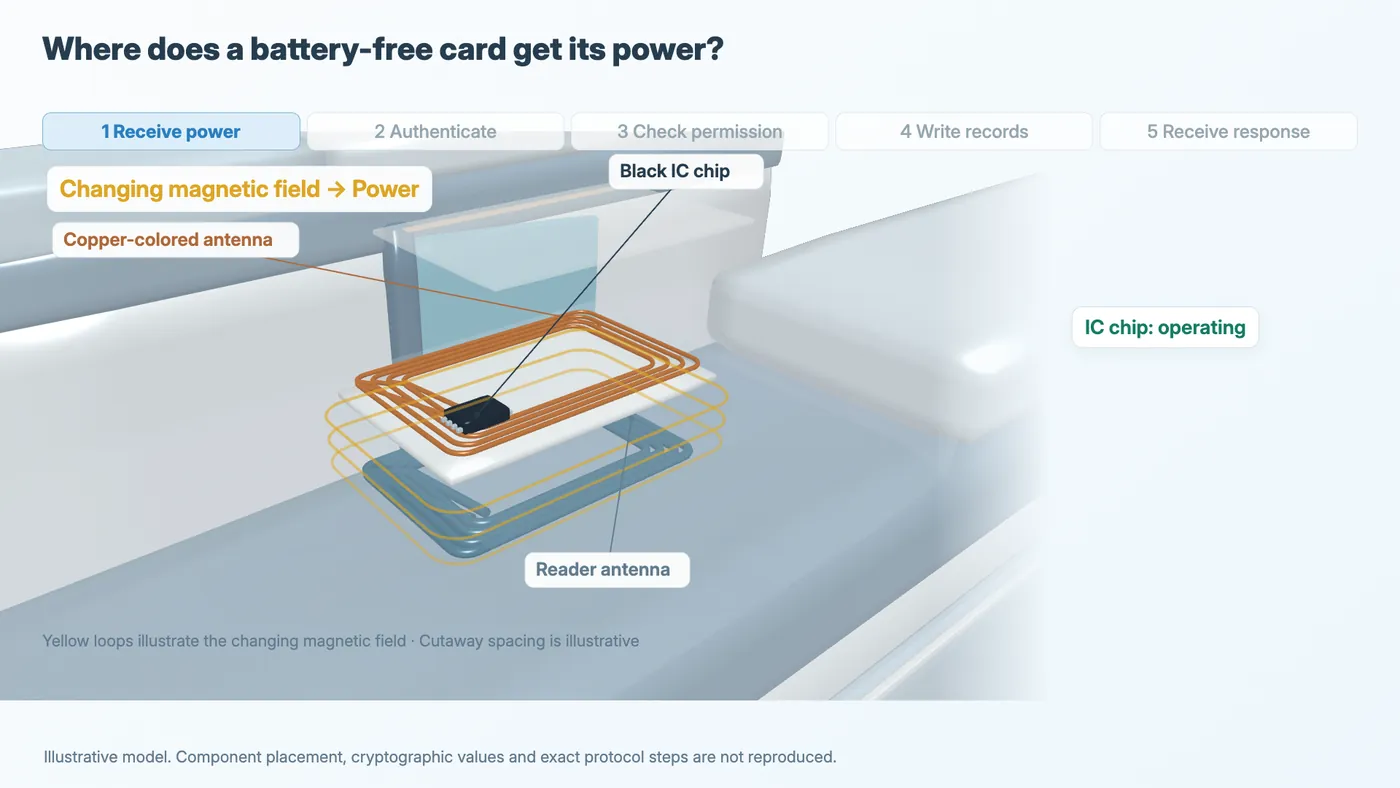
Figure 1. Illustrative model.
References: R1
Prove the secret without sending the key
A secure contactless smart card can authenticate its reader, while the reader authenticates the card. This is mutual authentication. Our example follows a card with this protection; it does not treat every contactless tag as the same system.
A key is secret data used in cryptographic calculations. The devices do not simply send their secret keys across for inspection. The purple panel is an explanation of data inside a protected component, not a physical key or a copy of its real memory layout.
Cryptographic calculations provide evidence that the other side holds the required key. A copied appearance or visible number is not the secret used for this check.
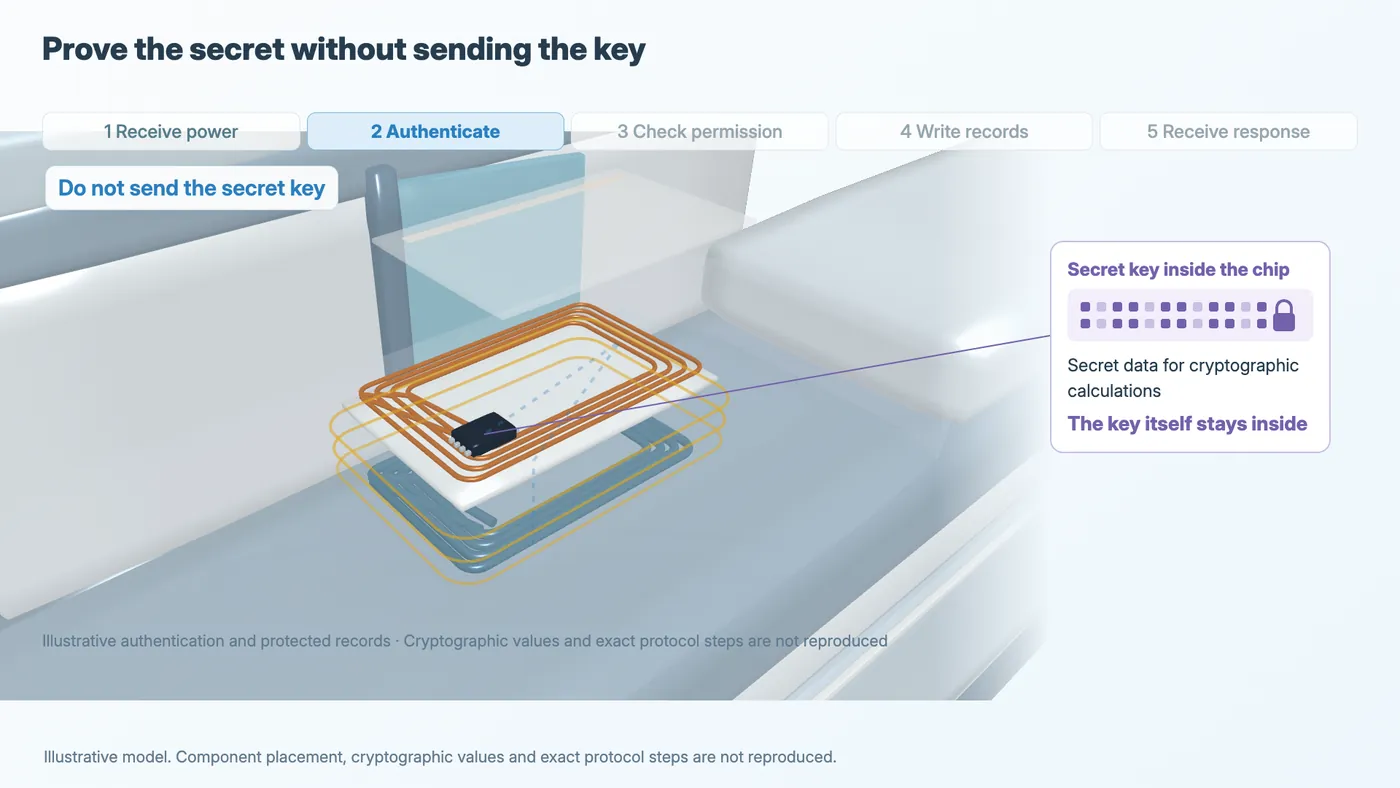
Figure 2. Illustrative model.
Why is a previous response rejected?
The model explains challenge and response. The reader sends a fresh challenge. The card calculates a response using its key, and the reader uses its corresponding key to verify the response against the current challenge. Verification also runs in the other direction.
A recorded response to an earlier challenge does not answer the fresh one. The model on the right rejects that replay. This explanation assumes that the secret remains protected and that suitable cryptography and fresh challenges are used.
The diagram does not reproduce real cryptographic values, message counts or the exact protocol of a particular card. It illustrates the security principle rather than a complete implementation.
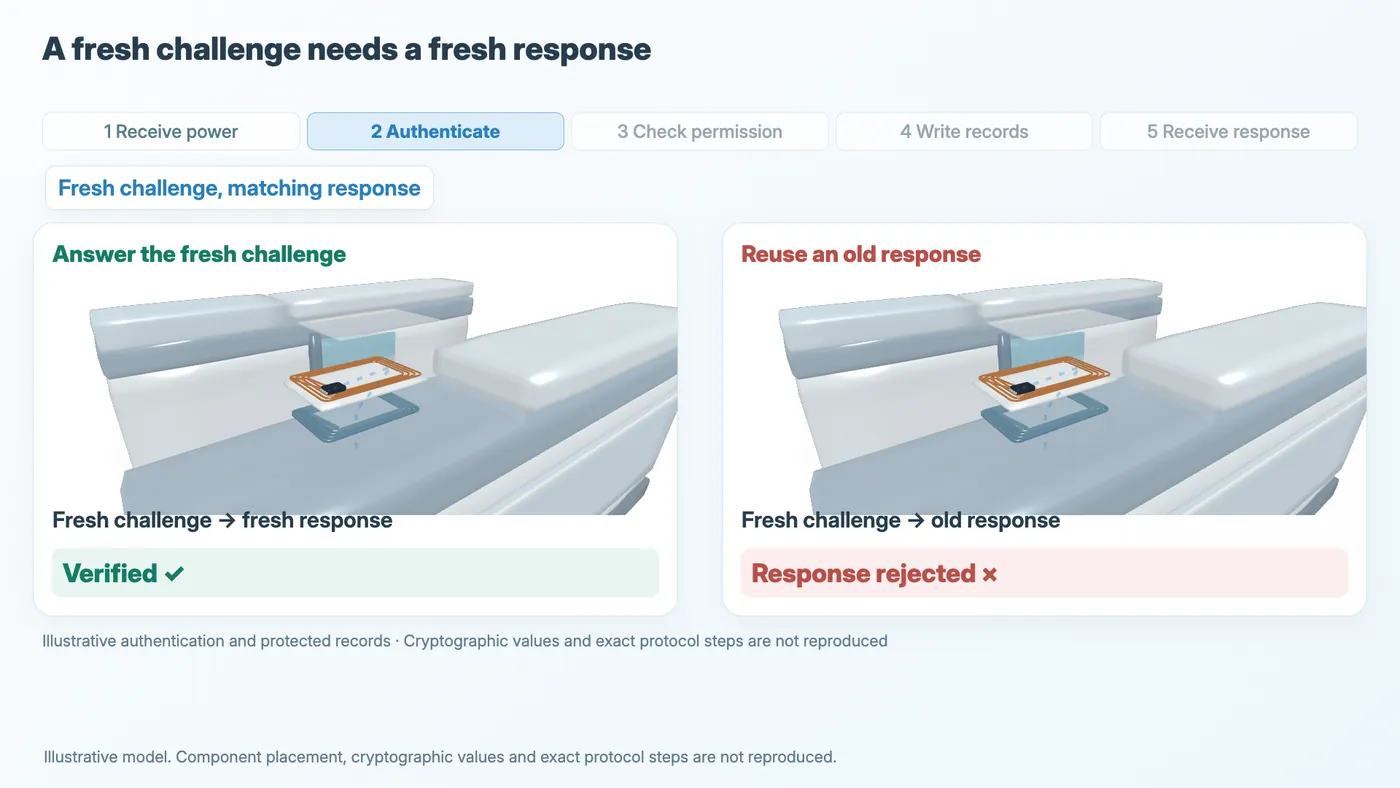
Figure 3. Illustrative model.
References: R3
Watch the challenge and response (from 3:10)
Identity, permission and message integrity
Authenticating the other side does not authorize every operation. Protected records can have access rules specifying which keys permit which actions.
Starting from the same original record, the two models compare separate operations. An authorized write reaches the same chip after the checks. The record is updated, and the card responds. A write without the required permission is denied; receiving power does not itself grant access.
Confidentiality and integrity have different roles. Encryption can conceal a message, while cryptographic integrity checks can detect changes made to its content. Identity checks, access permissions and message-integrity checks work together to resist unauthorized changes.
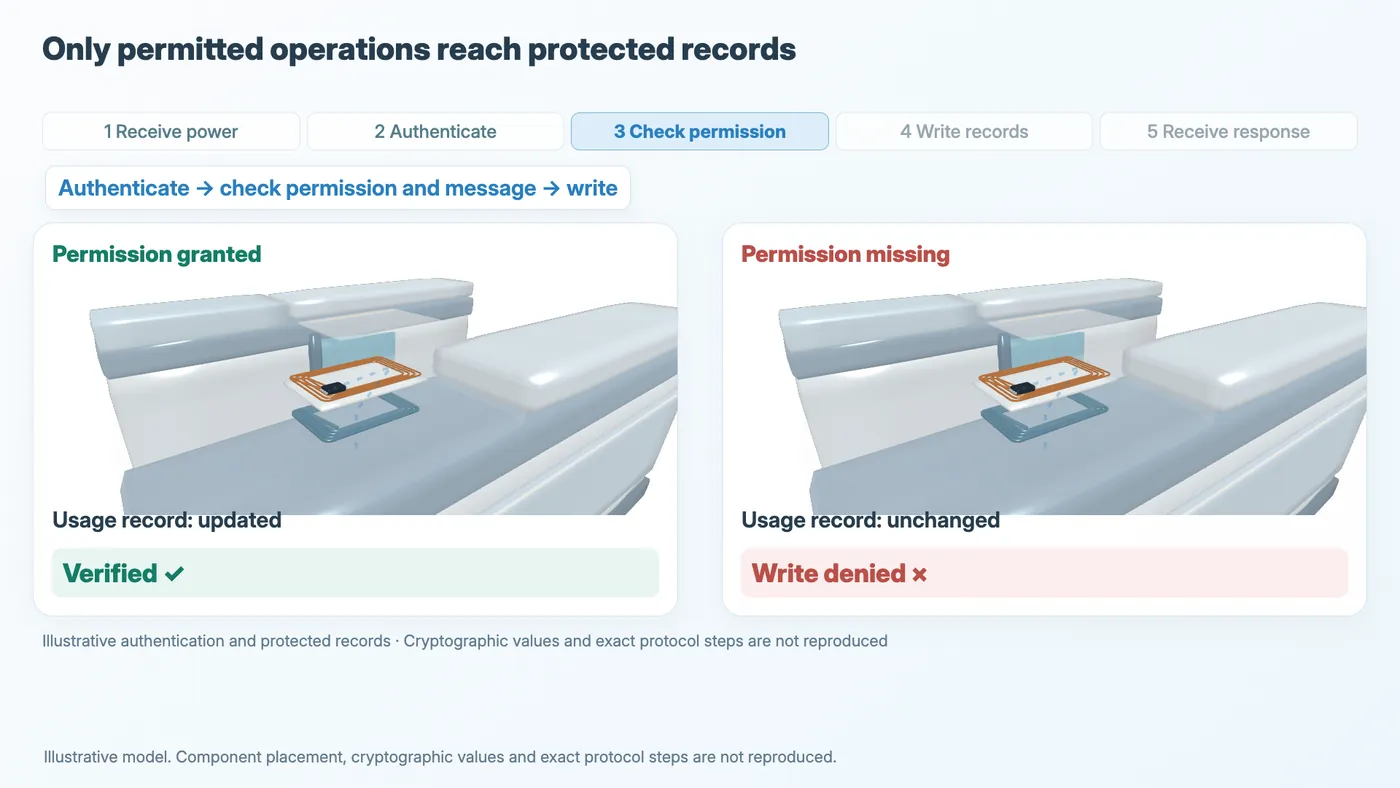
Figure 4. Illustrative model.
Why can a phone tap after its screen goes dark?
A phone also has near-field communication circuitry and protected components for its card information. On supported iPhones, some Express Mode credentials can keep working through power reserve after the phone needs charging and normal operation stops. Energy still remains in the battery for that limited exchange.
Apple describes up to five hours for some eligible cards, passes and keys. This does not apply to every contactless payment. The feature is unavailable after a standard shutdown initiated by the user.
The battery is not completely empty. A battery-free physical card obtains energy from its reader; a phone using power reserve relies on remaining battery energy. They are different ways of powering a tap.
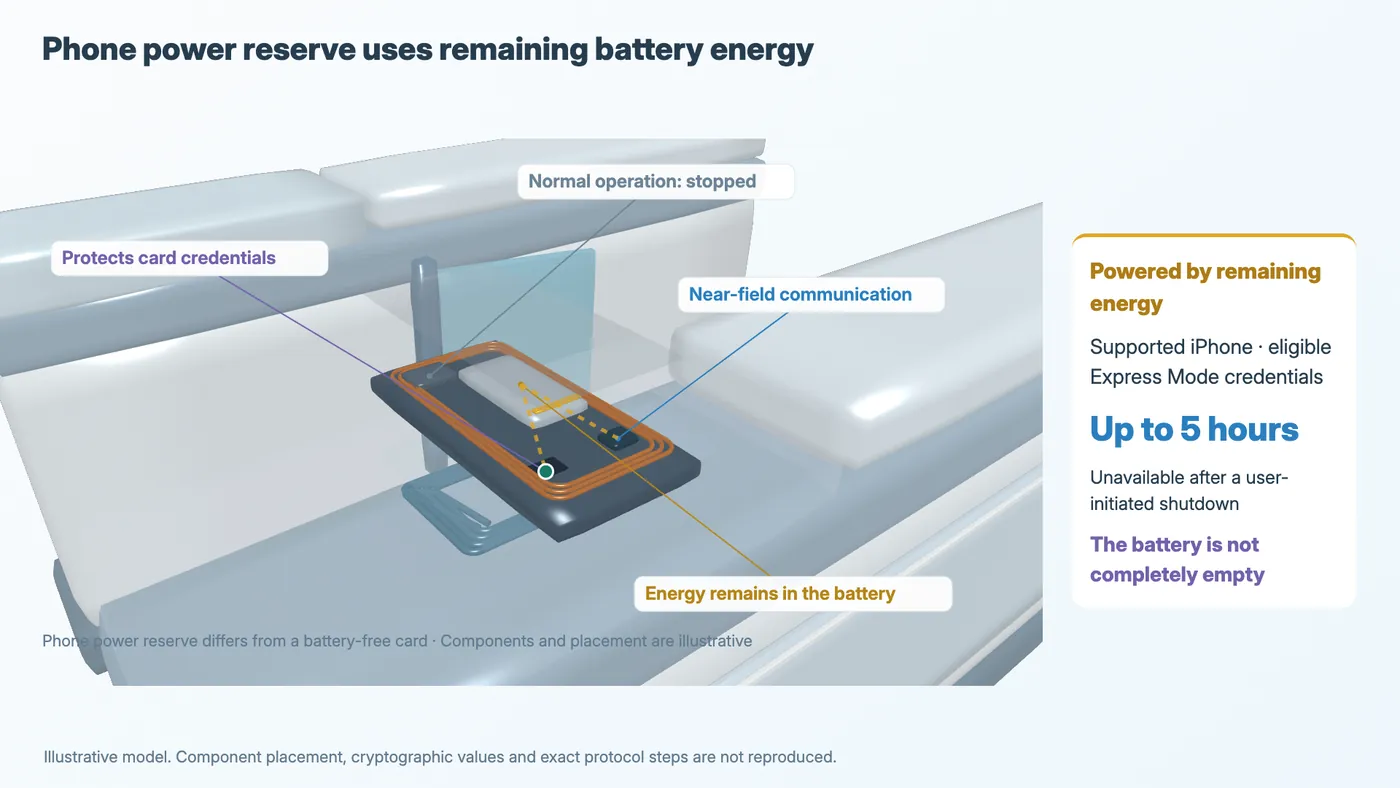
Figure 5. Illustrative model.
What the model leaves out
This episode focuses on power, authentication and protected operations. “Usage record” is an illustrative field, not a reproduction of a real memory map. Component placement and exact protocol steps are simplified. The phone is a teaching model rather than a product teardown.
Sources
Where the facts and numbers in the video and on this page come from.
- Sony: What is FeliCa? (— Antenna, IC chip and read/write communication)sony.co.jp/en/Products/felica/about
- Sony: The FeliCa System (— Mutual authentication, access rights and encrypted communication)sony.co.jp/en/Products/felica/about/scheme.html
- Sony: FeliCa Lite-S Security Application Note (— Sections 5.2–5.5: authentication, keys, access control, MACs and integrity. Used for concepts, not to reproduce a specific card protocol)sony.net/Products/felica/business/tech-support/d…
- NXP: MIFARE DESFire EV3 (— Mutual authentication, file access rights, CMAC and encrypted RF communication)nxp.com/products/MF3DHx3
- Apple: Express Cards with power reserve (— Remaining battery energy, NFC controller operation and the exclusion of user-initiated shutdowns)support.apple.com/guide/security/express-cards-with-power…
- Apple: Use Express Mode with cards, passes and keys (— Up to five hours for some eligible Express Mode cards, passes and keys)support.apple.com/en-us/105123
- R2sony.co.jp/Products/felica/about/scheme.html
Voice, music, art
- Music (OpenTracks): “なんでしょう?” by KK; “ちょっと楽しい” by 天野 七祈; “ensolarado” by Kyaai.
- Fonts: Noto Sans JP, Inter, MPLUSRounded1c ExtraBold (SIL Open Font License 1.1).